Showing posts with label MeeGo. Show all posts

Monday, 12 December 2011

Video : New Commercial for Nokia N9


Here's a quick video of latest commercial for Nokia's first MeeGo device Nokia N9. Have a look at this funny but interesting commercial.


Thursday, 8 December 2011

White Nokia N9 (64GB) Available Now


Seems like its going to be a Snowy Christmas this year with the latest arrival from Finland , Yes the White Nokia N9 has made its way into to the market. The heavy 64 GB packed white Nokia N9 was announced during Nokia World 2011 but is available now on Finnish store “verkkokauppa.com” . The price is around 629€ . The hardware will be the same as of Black Nokia N9.


Here are the links to retail stores:


           katshing.fi/


        verkkokauppa.com

Monday, 28 November 2011

Nokia N9 P.r 1.2 update leaked Screenshots


Nokia's last MeeGo powered device Nokia N9 got the P.r 1.1 update few days back and P.r1.2 is on the way. Here are some leaked screenshots of N9 p.r1.2 update from Nokia N950 developer's device.


Changes Made :
  1. In the handling of applications Added a button to manage applications.
  2. The interface now separates the camera flash option.
  3. In the video recording interface separated the icon to turn the LED flash.
  4. The buttons have a new style.
  5. On display there is a new option settings Colour Profile.
  6. Settings Gallery has a new option for face recognition.
  7. The menu to display an image and has a new option “Insert face”.


Via SymbianTweet


Saturday, 22 October 2011

fMobi beta for MeeGo devices N9 and N950 released

As promised earlier, the most popular facebook client for Nokia devices ,'fMobi' has been released for Nokia's MeeGo Harrmattan devices such as Nokia N9 and Nokia N950 in order to test them.


The facebook client for MeeGo devices can be downloaded from here : fMobi (beta) for N9

Thursday, 29 September 2011

Nokia Browser for MeeGo , A complete Website


Endless Possibilities

Discover seamlessly smooth browsing and the latest technologies with Nokia Browser for MeeGo.


Just a swipe away


You don't always have both hands free when you're using your phone. That's why Nokia Browser supports gestures that are easy to use with one hand, or even one finger. Swipe to reveal previously opened windows, tap to save favourites to the Applications menu, or long-tap to open a new window or share links and images with friends.


Pinch to zoom and tap to fit


Use these familiar gestures to adjust the size of content, making it easier to read. Push two fingers apart to enlarge content just as you like, or double-tap an area to automatically expand it to fit the width of the screen.


Comfortable, efficient typing

With Nokia Browser's virtual, split-screen QWERTY keyboard, you can type comfortably, without ever leaving the page, or loosing sight of the content. The keyboard is also customized to suit your chosen language, providing easy access to common accents and diacritical characters.


Stay safe


Nokia Browser includes all the security features you'd expect. Manage popups, delete cookies, clear your browser history, and set next generation permissions such as location sharing. Nokia Browser also flags secure sites with an easy to recognise icon so you're always in control.


Type less. Surf more

Search for content or enter URLs in a snap using the always available, search integrated address field. As you type, our predictive technology will provide a list of popular sites, matching bookmarks, recently input keywords and visited URLs; enabling you to type less, and load your content even faster.


All the latest technologies


Nokia Browser for MeeGo is powered by the latest web standards and technologies including HTML5, CSS3 and the new, state of the art WebKit2 engine. These technologies enable developers to build web sites and applications that load fast, perform beautifully, and look their very best on a variety of mobile devices — including yours


Fast access to your top sites


The Top Sites page keeps track of your most frequently visited web sites and gathers them in one spot so they're easy to access. Sites are ordered by popularity, so your favourites are always on top.


Download with confidence


Download files such as PDFs and spreadsheets just like on the desktop. Downloading take place in the background, so you're not interrupted. Downloaded files can be saved to the Documents area, so they're easy to find, manage, and share.


Automatic updates


Nokia Browser is always growing and automatically lets you know when a new, improved version is available. Updates are downloaded straight to your phone so you so you can have instant access to all the new features.


.

Wednesday, 28 September 2011

Nokia N9: pure entertainment | Features , Speciations and The Complete Review


From camera speeds, to photogalleries. From the UI to a whole heap ofscreenshots. We’ve covered a lot from the Nokia N9 these past couple of weeks. But there’s still more to come. Today we look at how good the Nokia N9 is at being an entertainment device and in particular, the music and video player. Details and screenshots follow the jump.

So, it’s my turn. Ian has handed over the Nokia N9 for me to play with and to see how it works. If – like me – you like your music crisp and clear you’ll be happy to hear that the Nokia N9 plays music beautifully. As I’m writing this, I have my Roland earphones on and am playing some Gorillaz at max volume. Luckily, I’m indoors and I’m not annoying anybody, as the volume cranks up rather high.


The music player is organised differently to the Nokia N8 I’ve been using up until now. Rather than a long list of songs scrolling down the screen of my phone, I’m confronted with a collection of album art, nestled up on the top of the screen. Pressing on one of them will take me to that album. Alternatively, you can navigate through the artists, albums, songs, playlists or even click through Ovi Music to purchase new tracks straight to the phone with the options below the album art.
I’ve noticed Ovi Music is different too. Selecting this option takes me to a new version of the Music store. Of course, I can search and buy songs but there’s also the option to listen to a radio-type player. I find the Blues section and press the Play genre radio button at the top of the page. A song starts to play, but I’ve not downloaded it. It’s streaming, apparently and powered by Aupeo!. If you like what you hear, there’s the option to hit the price tag, which takes you through the download process.
I chose to plug in my headphones using the 3.5mm audio port, but connecting via Bluetooth would give you just the same results, too. My music library consists of MP3 tracks, but the Nokia N9 also supports AAC, AAC+, eAAC+, WMA, and FLAC. So you shouldn’t get caught out with the wrong format.
As I stated in the first paragraph, the music plays beautifully. That’s down to Dolby Headphones function that turns regular stereo audio into personal surround sound. I’m not sure what the difference is – technically – but it’s definitely noticeable.
Now, for my second other favourite pastime. Watching movies. The videos menu opens up straight away into your movie collection. Extra-large thumbnails dominate the screen with their titles underneath each one. With a swipe of your finger up and down, it allows you to peruse your movie collection. Once you’ve found your movie, press the thumbnail and it starts to play.
I’ve actually got very little in the way of digital movies, most of what I own is on DVD. Very old-fashioned, I know. So I’ve downloaded some movie trailers in HD and played them through the Nokia N9. Again it’s the sound where you really start to notice the difference. The Dolby Headphones and Dolby Digital Plus combine for 5.1 HD-quality surround sound, much like you’d expect to hear in a cinema. This only works when you’ve got your headphones connected, though.
Playing movies without your headset does give a different sound. You haven’t got the same surround sound you receive when you’ve got a headset connected, but it’s still perfectly capable of playing a clear sound. What’s especially nice with watching movies on the Nokia N9 is the AMOLED display. When watching a movie in widescreen you’ll undoubtedly be staring at a screen with black edges at the top and the bottom. With the Nokia N9, those edges are so black, you actually find it difficult to determine where the screen ends and the unibody starts.
The Nokia N9 played back the trailers I downloaded, which were MPEG-4, but it also supports the following video formats: 3GPP formats (H.263), ASF, AVI, Flash Video, H.264/AVC, Matroska, VC-1, WMV 9, XVID and up to 720p – 30 fps.
In the video view is the options button on the top right. Pressing this will give you the video details, from format to size and even tell you how many times you’ve played that film. Underneath those details is the related videos section. This automatically finds some similar videos to the one your watching using YouTube and lists them for you, which is a nice touch.
Overall, the video and music playback is great on the Nokia N9. The Dolby Headphones and Dolby Digital Plus make for some amazing audio playback when using a headset, plus the AMOLED 3.9 inch screen makes for some real-easy video-viewing.

Tuesday, 27 September 2011

Nokia N9 with Stereo Play 360 demo and Nokia N9 unboxing and hands on.


Sort of echoing the posts from this morning, this time each a little more in depth.
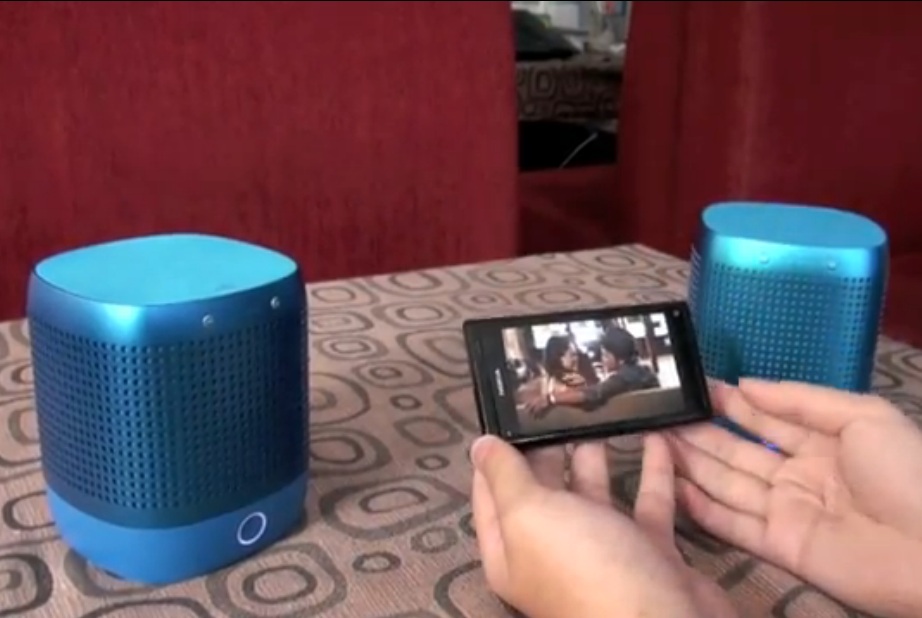
The first video is a demo of the Nokia Play 360, but here you can see the stereo in action, something I have not yet seen before. The bass is coming through quite well on my own speakers, so taking recording quality aside, these Play 360s might actually be quite awesome.

Video by 
Next as we expected,  has provided an English version of his Nokia N9 unboxing  - this one a little longer so much more Nokia N9 to enjoy.

Nokia N9 preview, video hands on and video sample.


Check out this three part preview of the Nokia N9 from Croatia:
  • Very innovative interface concept – “a combination of Windows Phone and Android” hmm…
  • Great Design
  • Not so great on price
Here’s a hands on of the N9.
[Vimeo=http://vimeo.com/29472424]

Video Sample N9
In this video, you can see the assistance of additional 5FPS (total 30FPS) when reducing that video wobbling effect.  The camera is shaken quite a bit and panned quite quickly (both things you should always try and avoid anyway) but the result was not that bad. More frames, more ‘stills’ per second of your scene to provide a more fluid recording.

[VIMEO=http://vimeo.com/29472286]
Alesandro says he prices are 5100 KN ($920) for the 16GB version and 5700 KN ($1030) for the 64GB. That is very steep.

Nokia N9 heading to the shops says Nokia Conversations (Finland from October 13)


Nokia Conversations has posted that the N9 is finally shipping to customers and stores.
They reiterated a point publicised about the Nokia Helsinki store that demand for the N9 has been huge.

There’s no date mentioned here but the Finnish version says the N9 is coming to Finland on October 13.